Urgency where it matters most
Boostle: Labels is designed to sit between the product price and the add to cart button, helping shoppers notice urgency at the exact moment they are deciding whether to buy.
Boostle: Labels
Boostle: Labels shows real-time stock urgency exactly where it matters — between the product price and the buy button — helping shoppers make faster buying decisions.
Real storefront example
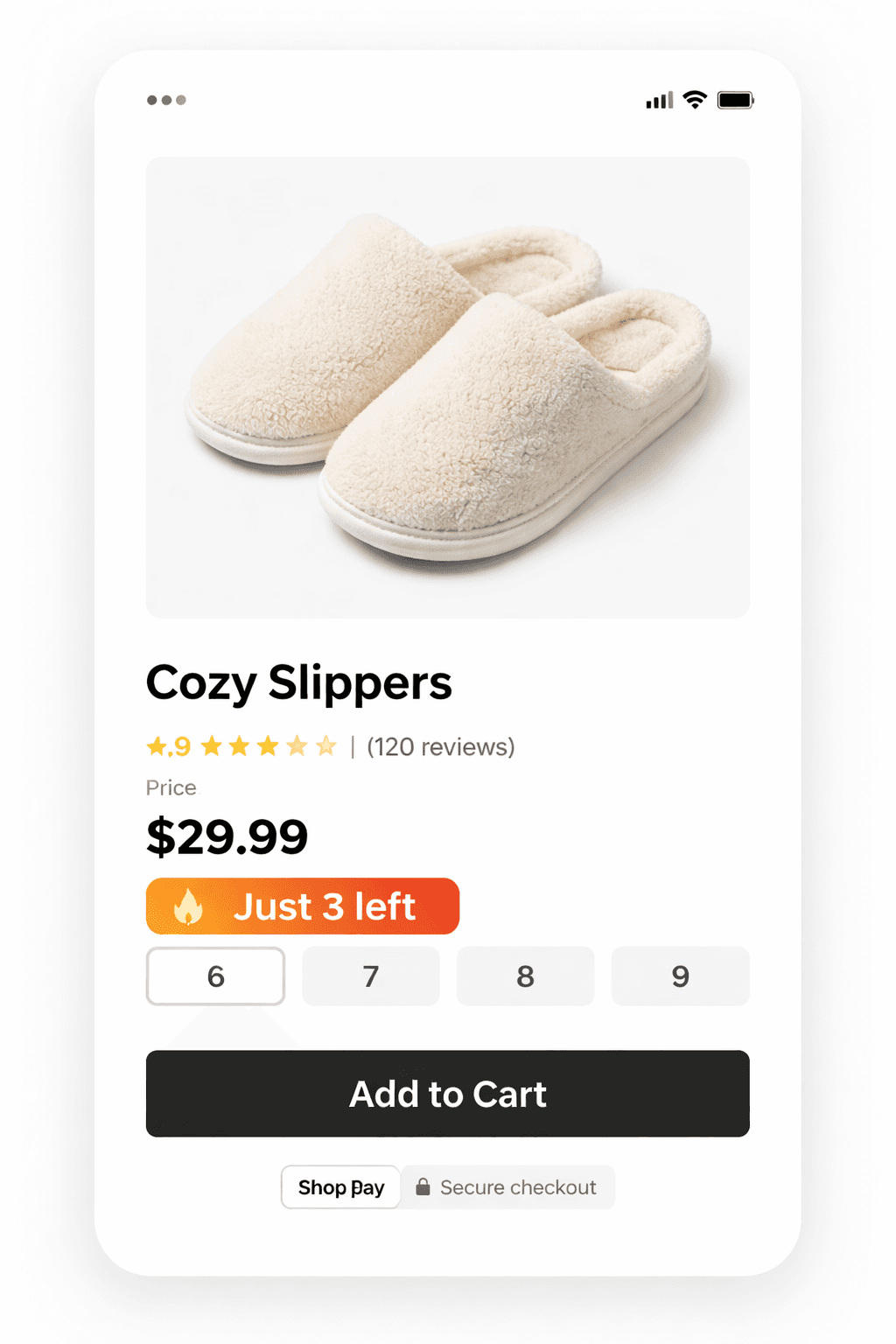
Real Shopify storefront example using Boostle: Labels.
No theme hacks. No clutter. Just clean urgency.
Why it works
Product pages often leave too much room for hesitation. Boostle: Labels adds a simple urgency cue that helps create movement at the point of decision.
Before
The shopper sees the product, thinks about it, and tells themselves they will come back later.
After Boostle: Labels
The shopper sees a low-stock message at the moment they are weighing the purchase, which makes action feel more immediate.
Features
Boostle: Labels is designed to sit between the product price and the add to cart button, helping shoppers notice urgency at the exact moment they are deciding whether to buy.
Show messages like “Only 3 left”, “Low Stock”, or “Sold Out” in a simple, storefront-friendly way that supports action without cluttering the page.
Install the app, add the app block, position it above the buy buttons, and start showing urgency labels on supported product pages.
Boostle: Labels starts with an easy free experience and expands into more control over thresholds, colours, text, and branding with paid plan features.
Pricing
Boostle: Labels is designed to be easy to try and simple to grow with. Start with the free plan, then unlock customisation when you are ready.
Free
Ideal for merchants who want to add urgency fast with default settings and minimal setup.
No monthly cost
Starter
Best for merchants who want Boostle: Labels to match their store more closely and remove the default branding.
7-day free trial
FAQ
A few quick answers to reduce setup friction and make the next step easier.
No. Boostle: Labels is designed for Shopify merchants using the theme editor. Install the app, add the app block, and position it above the buy buttons.
The ideal placement is between the product price and the add to cart button. That is the position Boostle is designed around because it creates urgency at the moment of decision.
Yes. Branding removal is available on the Starter plan along with custom thresholds, custom colours, and custom label text.
Yes. The free experience is designed to let merchants preview premium settings before upgrading, which makes it easier to see how Boostle will fit their storefront.
Setup
Boostle: Labels is designed to be quick to understand and easy to place into the product page flow.
Add the app to your Shopify store and open the theme editor.
Position the Boostle: Labels block between the product price and the add to cart section for the strongest impact.
Boostle displays low-stock and urgency labels based on your inventory levels and settings.
Install Boostle: Labels
Start with the free plan, place the app block above your buy buttons, and turn more hesitation into action.